Choose New ticket on the Home page or the Tickets page.
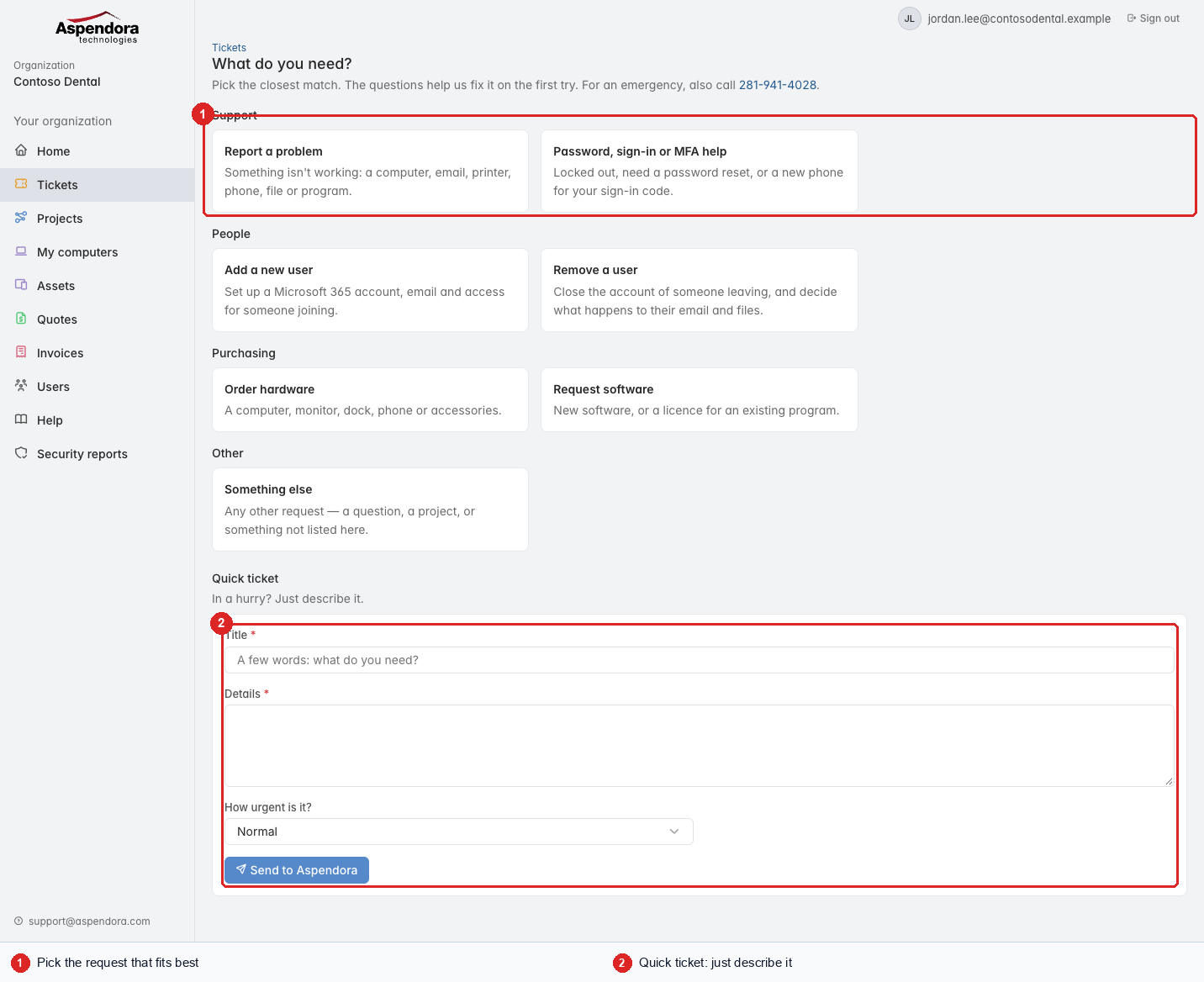
- Pick the request that fits best. Each one asks the questions we'd ask on the phone, so we can often fix it first time:
- Report a problem: something isn't working.
- Password, sign-in or MFA help: locked out, a new phone for your sign-in codes.
- Add a new user / Remove a user (managers and administrators): see Adding and removing Microsoft 365 users.
- Order hardware / Request software.
- Something else (under Other): any other request.
- Quick ticket at the bottom: in a hurry, give the ticket a short title, describe what you need, and say how urgent it is:
- Normal
- Several people are affected
- Nobody can work: we treat this as urgent. Please call as well: 281-941-4028.
Choose Send to Aspendora. You'll see the ticket number straight away, and the ticket appears on your Tickets page. Updates come to your email too.
Tip: reporting a problem with a particular computer? Open it under Assets and choose Report a problem with this: the ticket is linked to that device.