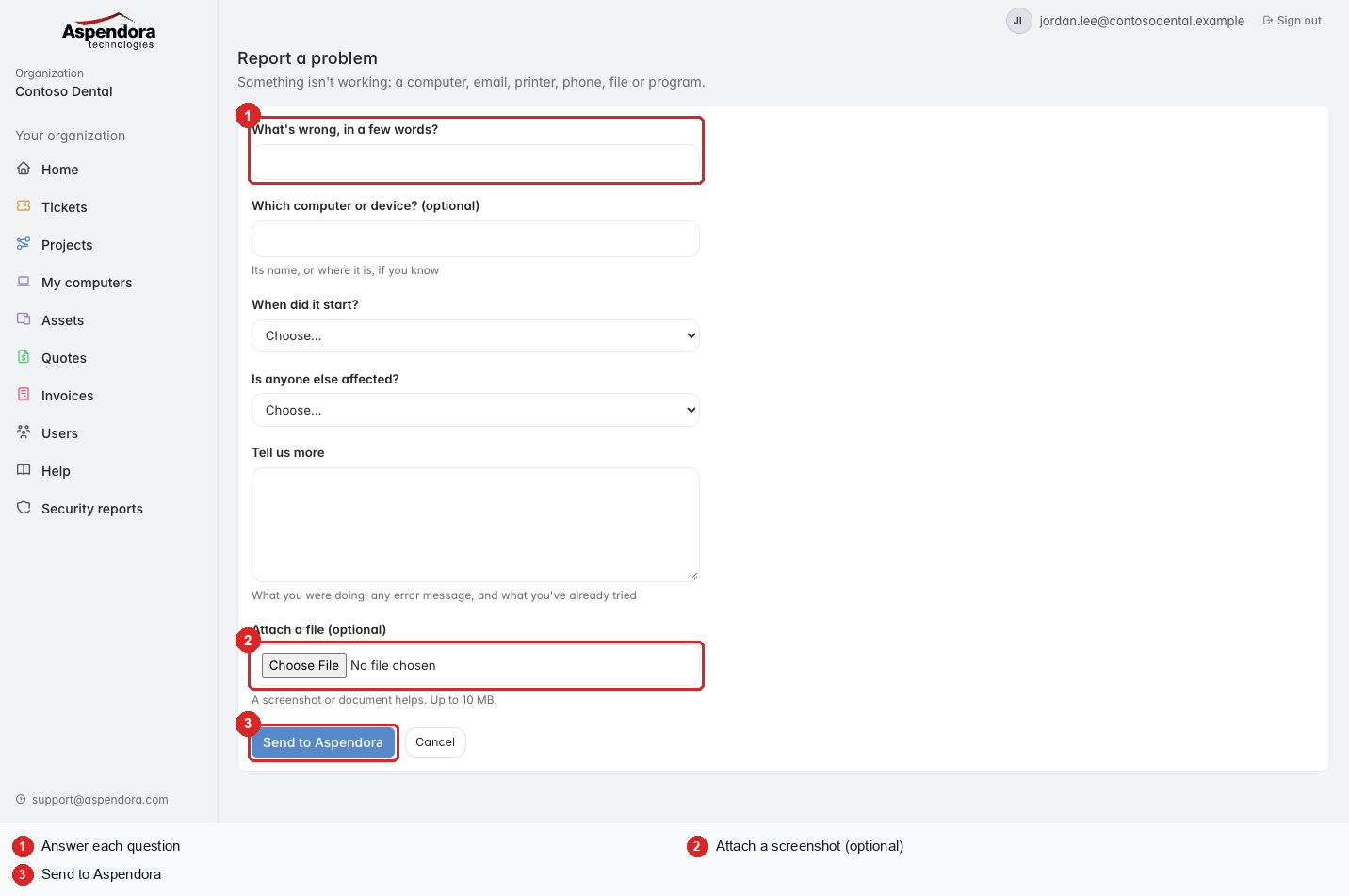
- Answer each question. Questions marked (optional) can be left blank. The hint under a question says what helps us most.
- Attach a file (optional): a screenshot of an error message is the single most useful thing you can send.
- Choose Send to Aspendora.
About attachments:
- Up to 10 MB per file.
- Allowed: PDF, pictures (PNG, JPG, GIF, HEIC…), Word, Excel, PowerPoint, text, CSV, zip, email messages (.eml, .msg), short videos (.mp4, .mov).
- Programs and scripts (.exe, .ps1 and similar) can't be attached, for safety.
If something is wrong with an answer, the form tells you which one before anything is sent.
Tip: to take a screenshot on Windows, press Windows + Shift + S. On a Mac, press Shift + Command + 4.