Managers and administrators can ask Aspendora to set up an account for someone joining, or close the account of someone leaving. Go to New ticket and choose Add a new user or Remove a user. Administrators can also start from the Users page.
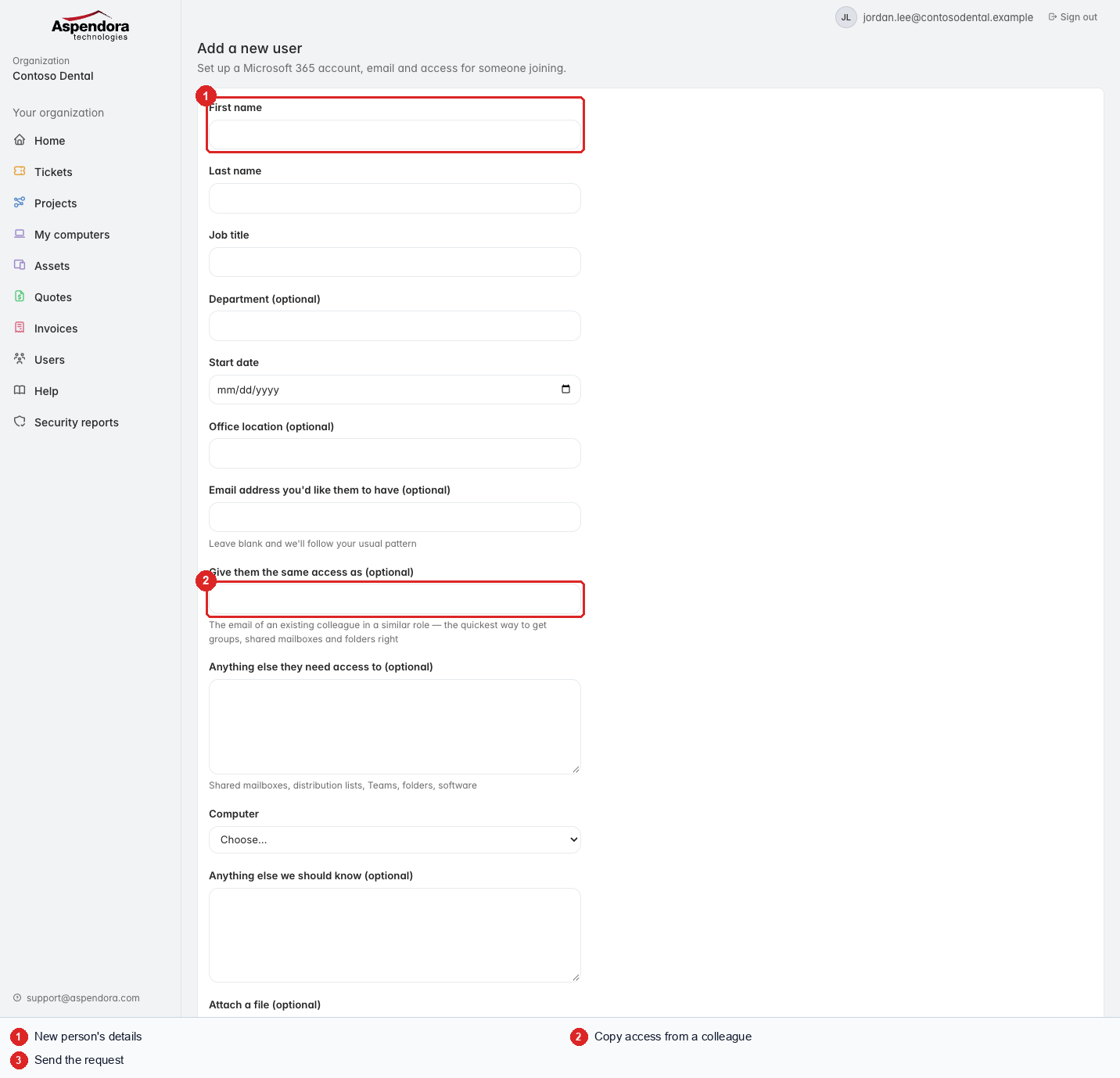
Someone joining
- Fill in their name, job title and start date.
- Email address you'd like them to have: leave blank and we'll follow your usual pattern.
- Give them the same access as: the quickest way to get their groups, shared mailboxes and folders right. Enter a colleague's email.
- Tell us about anything else they need and whether they need a computer.
Someone leaving
You'll be asked for their email, last day, whether access should stop at the end of the day or immediately, who should get their mailbox and OneDrive files, and whether their computer should be wiped.
What happens next
- The request becomes a ticket, so you can follow it like any other.
- Aspendora checks it and prepares the change. Nothing changes in your Microsoft 365 until a technician has reviewed and approved it.
- For a new user, their sign-in details are sent securely, never in plain email.
Important: if someone is leaving on bad terms, choose Immediately and also call us on 281-941-4028 so we can act straight away.
This doesn't change who can use this portal. For that, see Giving people access.