Open any ticket from the Tickets page.
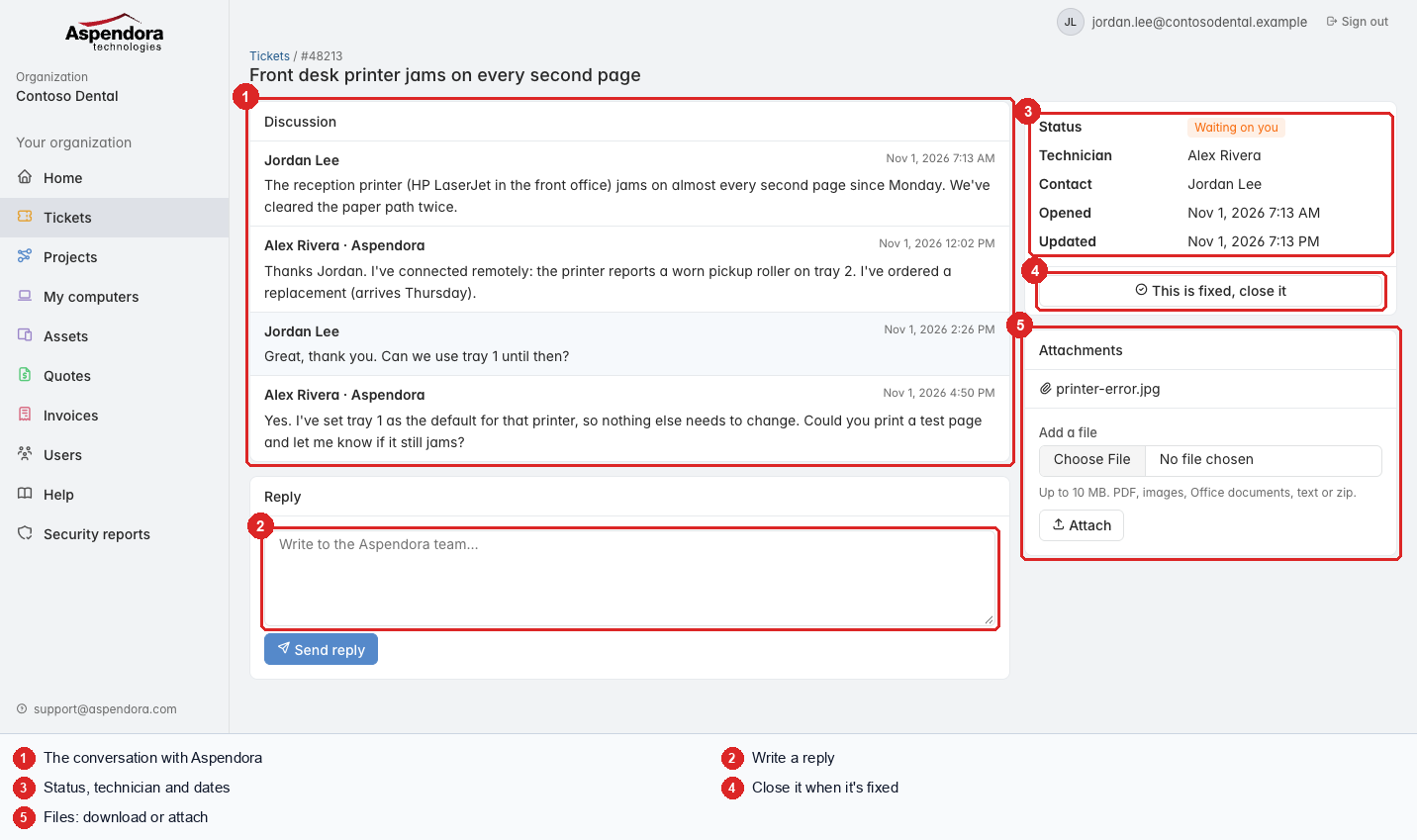
- Discussion: everything you and Aspendora have written, oldest first. Your messages have a blue background. Our internal working notes aren't shown.
- Reply: write to the technician and choose Send reply. They're told straight away. If the ticket was closed, replying reopens it.
- Status, technician and dates.
- This is fixed, close it: see Closing and reopening.
- Attachments: download files on the ticket, or add one (the same limits as request forms: 10 MB, safe file types).
You can also reply to the ticket emails we send; your reply is added to the ticket either way.
Important: never send passwords in a ticket. If we need one, we'll call you or send a secure link.
To protect against mistakes, one person can make up to 20 changes (replies, files, closes) in 10 minutes. If you hit the limit, wait a few minutes.