Managers and administrators can see the computers, servers, printers and other devices Aspendora manages for you. Choose Assets in the menu.
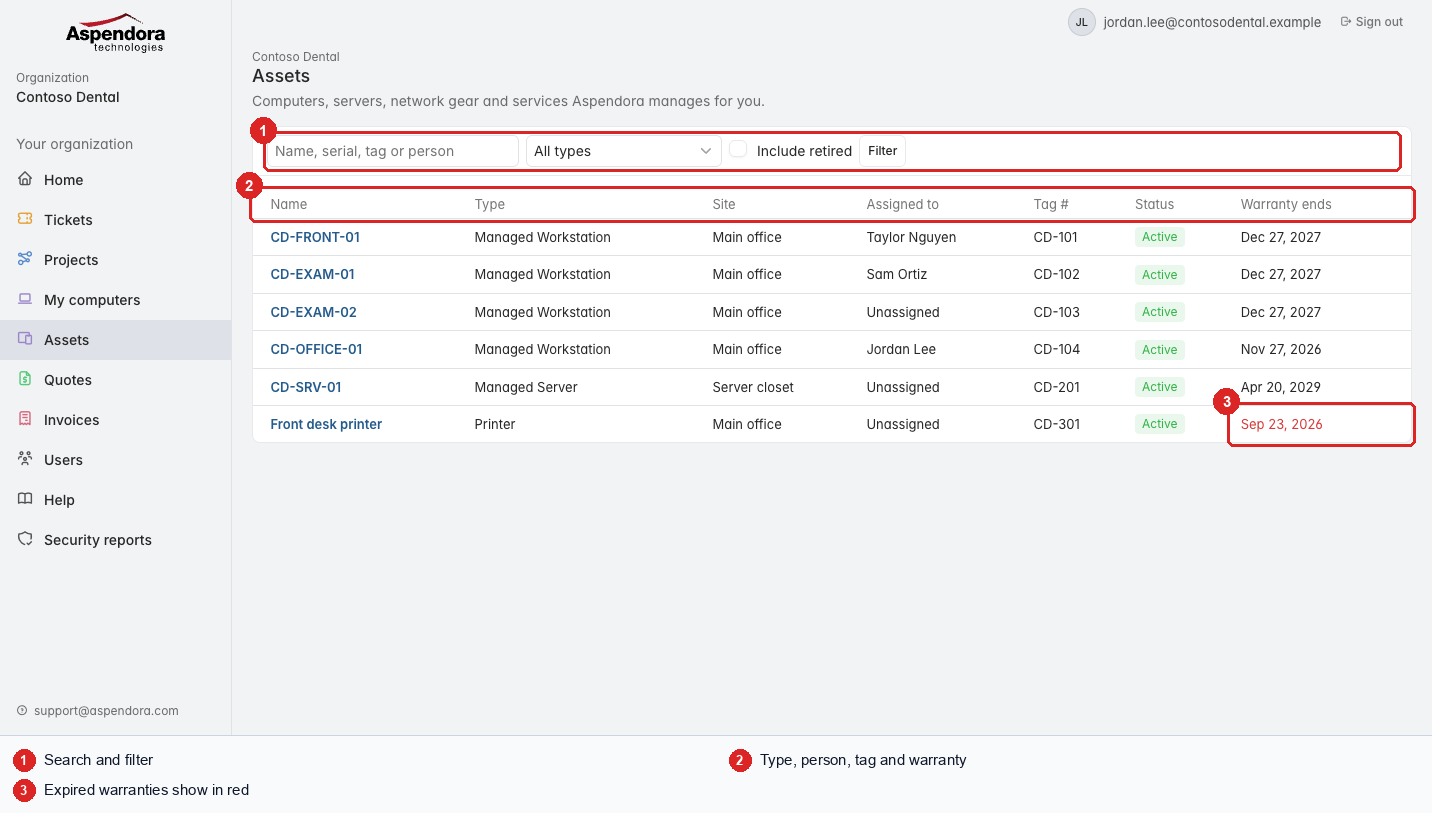
- Search by name, serial number, tag number or person, and filter by type. Tick Include retired to see devices that are no longer in use.
- Each device shows its type, site, who it's assigned to, tag number, status and warranty end date.
- Warranties that have already ended are shown in red. Old devices without warranty are more expensive to repair; ask us about replacing them.
A device's page
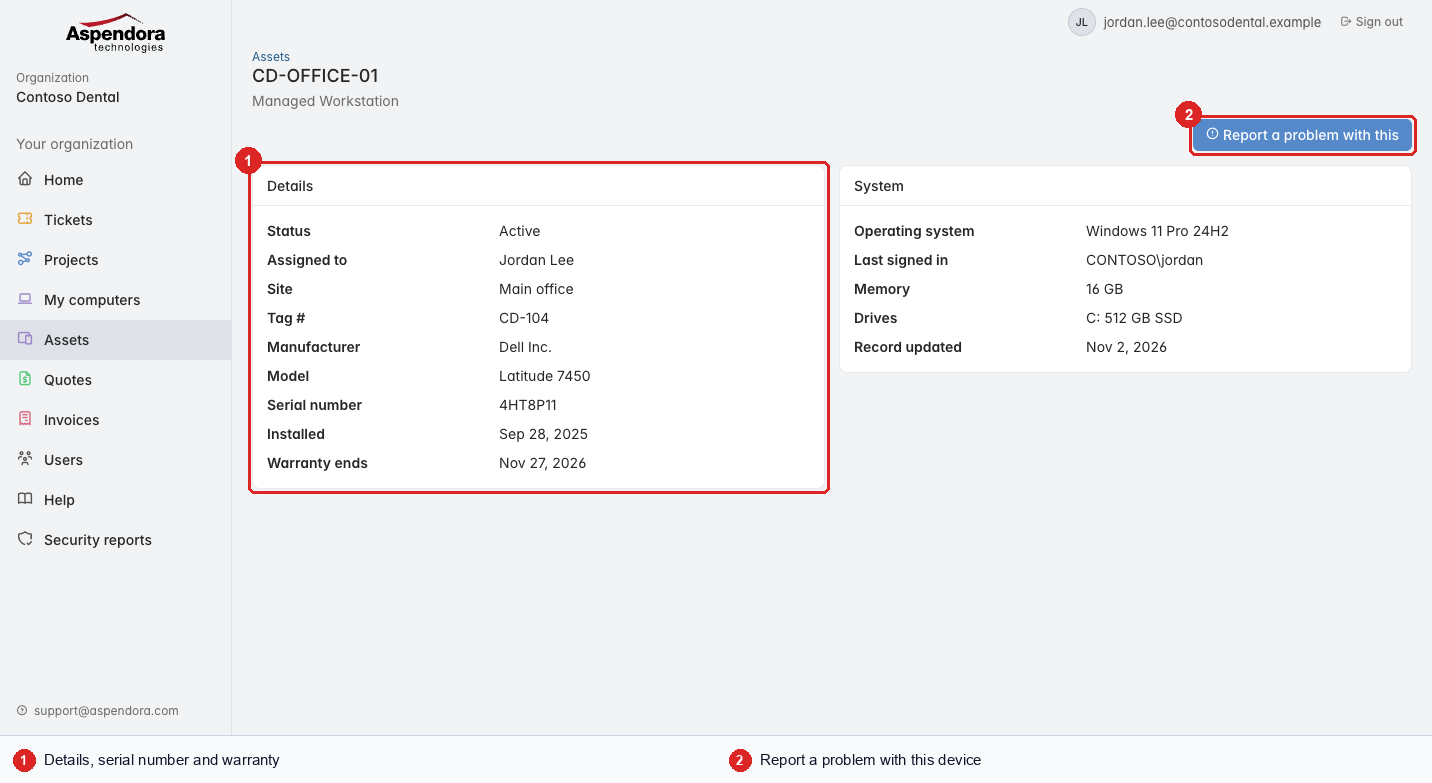
- Details: manufacturer, model, serial number, install date and warranty. System shows the operating system, memory, drives and the last person who signed in.
- Report a problem with this: raises a ticket linked to this device, so the technician knows exactly which one.
Tip: if a device is listed against the wrong person or is no longer used, raise a ticket and we'll update it.