Choose Projects in the menu to see the projects Aspendora is running for you (for example a move to Microsoft 365, new network cabling, or a set of new computers).
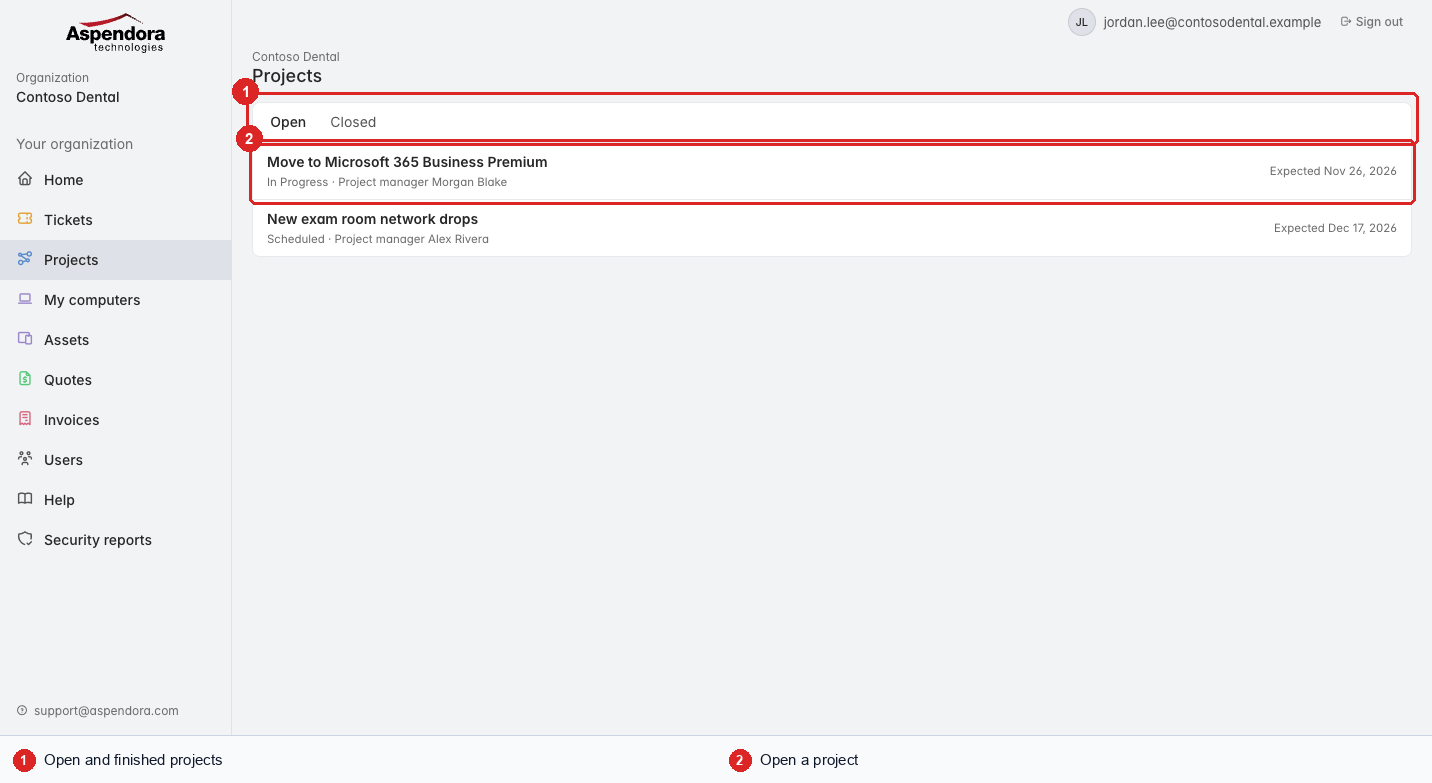
- Open and Closed tabs.
- Each project shows its status, project manager and expected completion date. Choose one to open it.
A project's page
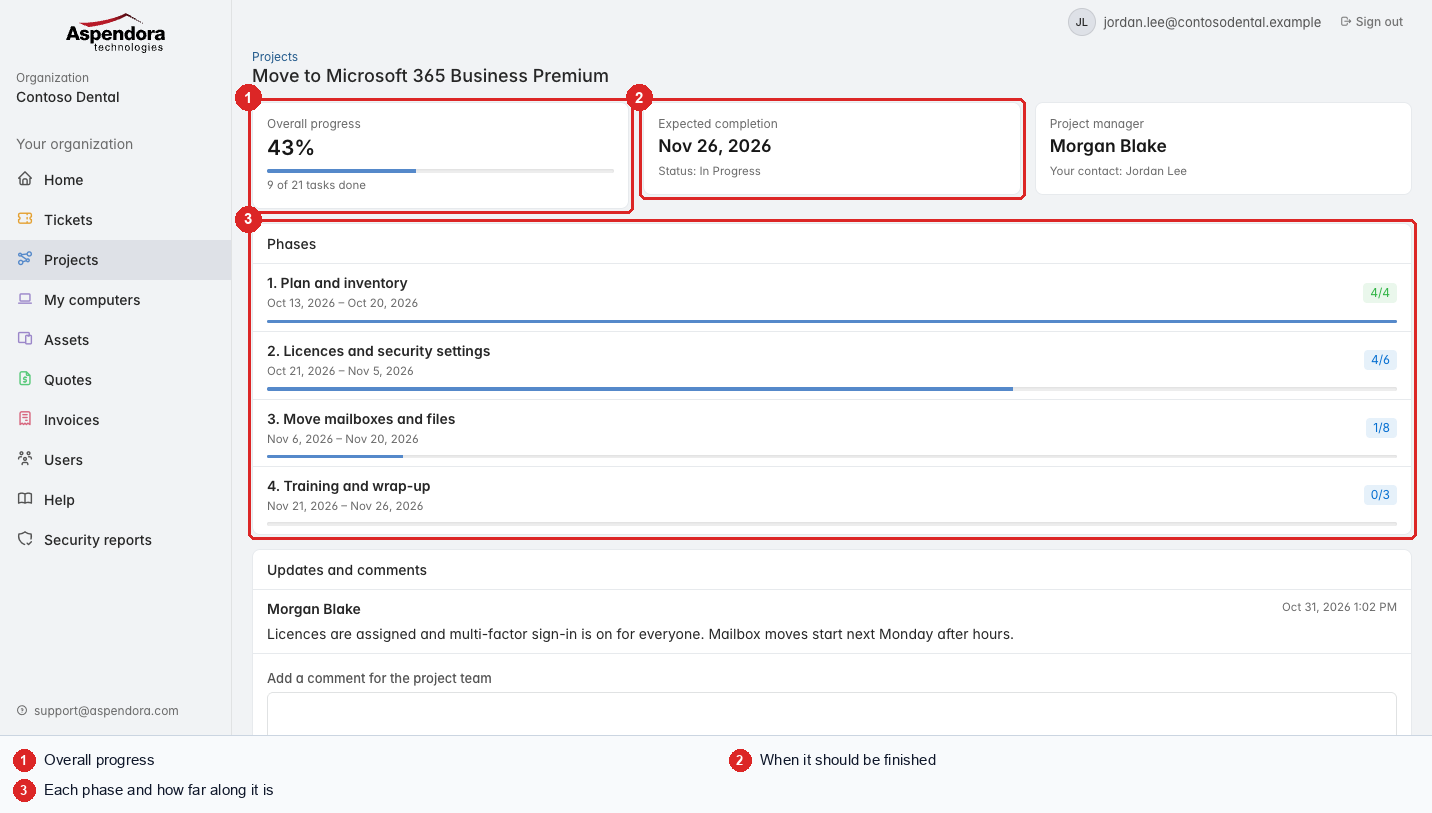
- Overall progress: how many of the project's tasks are done.
- Expected completion and the current status.
- Phases: each stage of the project, its dates, and how many of its tasks are done.
Updates and comments
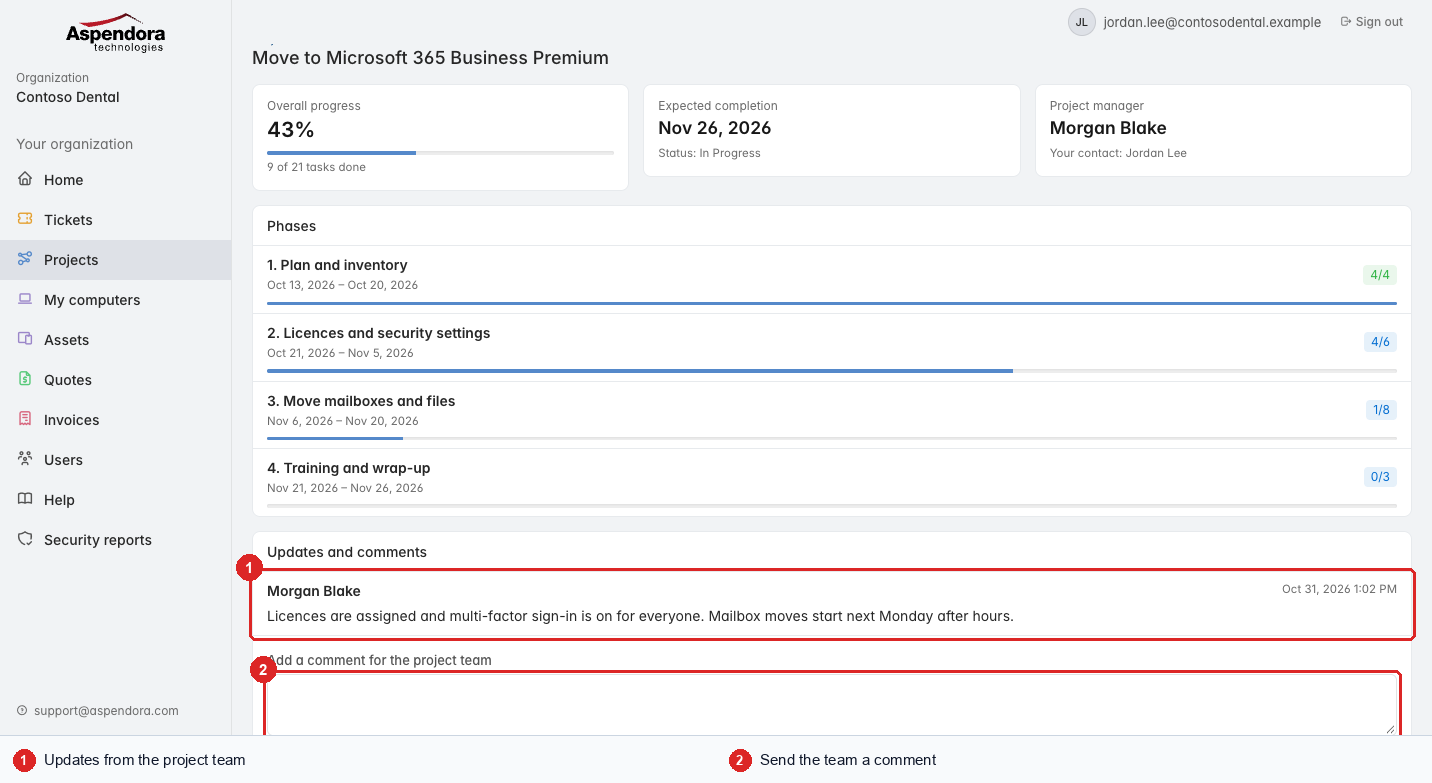
- Updates the project team has shared with you.
- Add a comment for the project team: questions, access arrangements, changes. They see it straight away.
Standard users see projects where they're the contact; managers and administrators see them all.